Pick-a-Pic
An AAC app for iPad focused on ease-of-use for early learners and their caregivers.
Press contact:
James Childress & Selina Field
hello@pick-a-pic.app
Includes full-resolution screenshots, video clips, and brand assets in both light and dark modes, as well as plain text versions of all copy.
Fact sheet
- App
- Pick-a-Pic: early, easy AAC
- Summary
- Pick-a-Pic is an AAC (augmentative and alternative communication) app for iPad focused on ease-of-use for early learners and their caregivers. It allows caregivers to quickly turn their images into buttons that speak when tapped.
- Price
- Pick-a-Pic is free to download. A one-time, $9.99 purchase unlocks the full version for life.
- Platform
- iPad with iPadOS 26 or later
- Release date
- September 6, 2026
- Developer
- Pocket Pigeon
- Links
About Pick-a-Pic
Pick-a-Pic is an AAC (augmentative and alternative communication) app for iPad focused on ease-of-use for early learners and their caregivers. It allows caregivers to quickly turn their images into buttons that speak when tapped.
Pick-a-Pic was created as a springboard for teaching functional communication to children with autism. Functional communication is an evidence-based intervention for replacing challenging behaviors with basic social interaction. The basics of functional communication, such as making requests, are where Pick-a-Pic’s simplicity shines.
Pick-a-Pic seeks to address the common frustrations that learners and their caregivers experience with more complex AAC apps:
- AAC apps may require many steps to create a custom button — a barrier to creating buttons at a moment when they are urgently needed.
- The steep learning curve of AAC apps can dissuade learners and caregivers from using them.
- Large grids of images can be overwhelming for learners with limited visual discrimination.
- Learners can have difficulty associating generic illustrations with the specific thing they want to request. For example, they may not equate an icon of a teddy bear with their favorite stuffed animal.
Pick-a-Pic addresses these frustrations with a user interface that is intuitive and familiar to iPad users and that is designed to minimize the number of taps required to create a custom button in a Button Book.
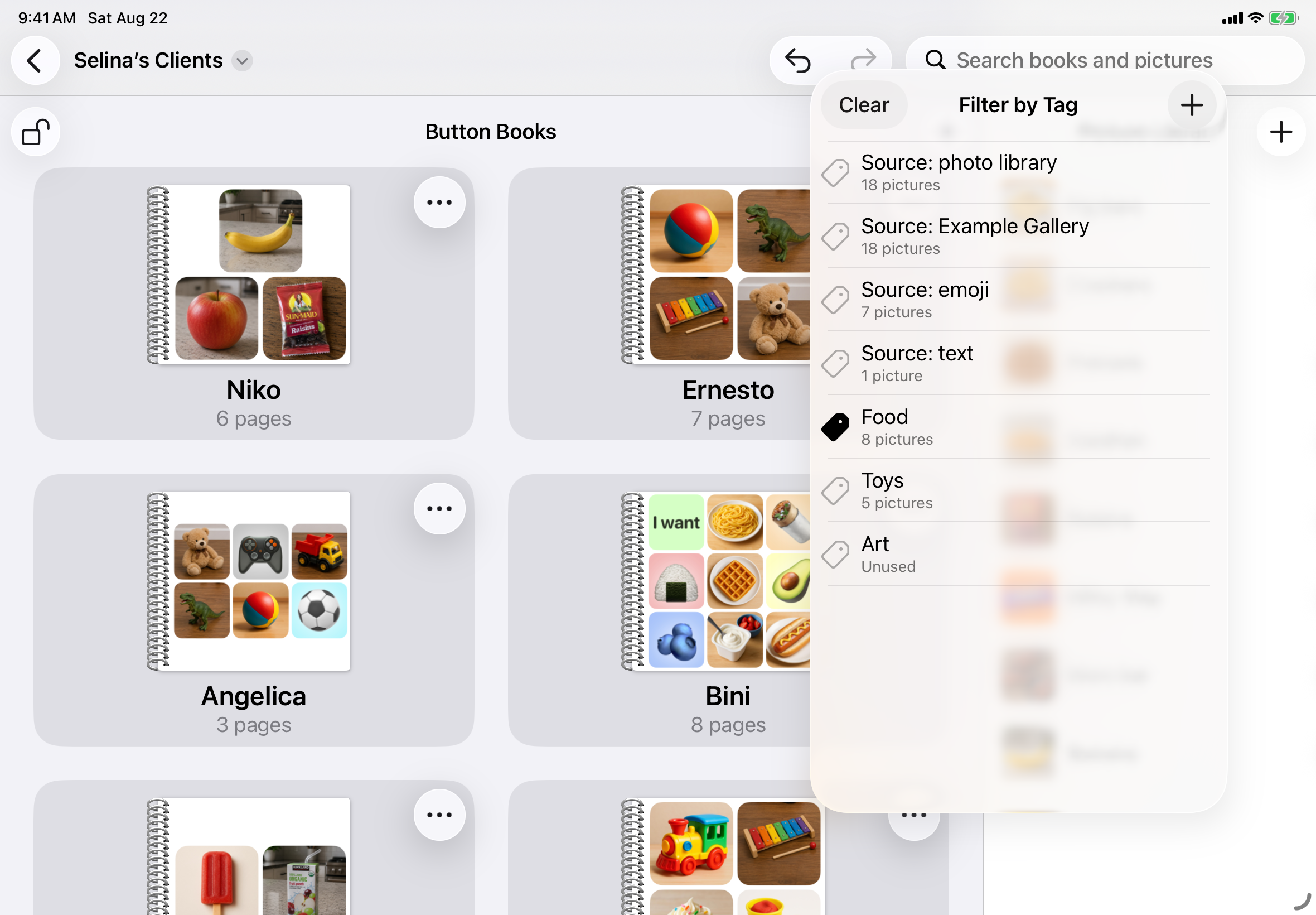
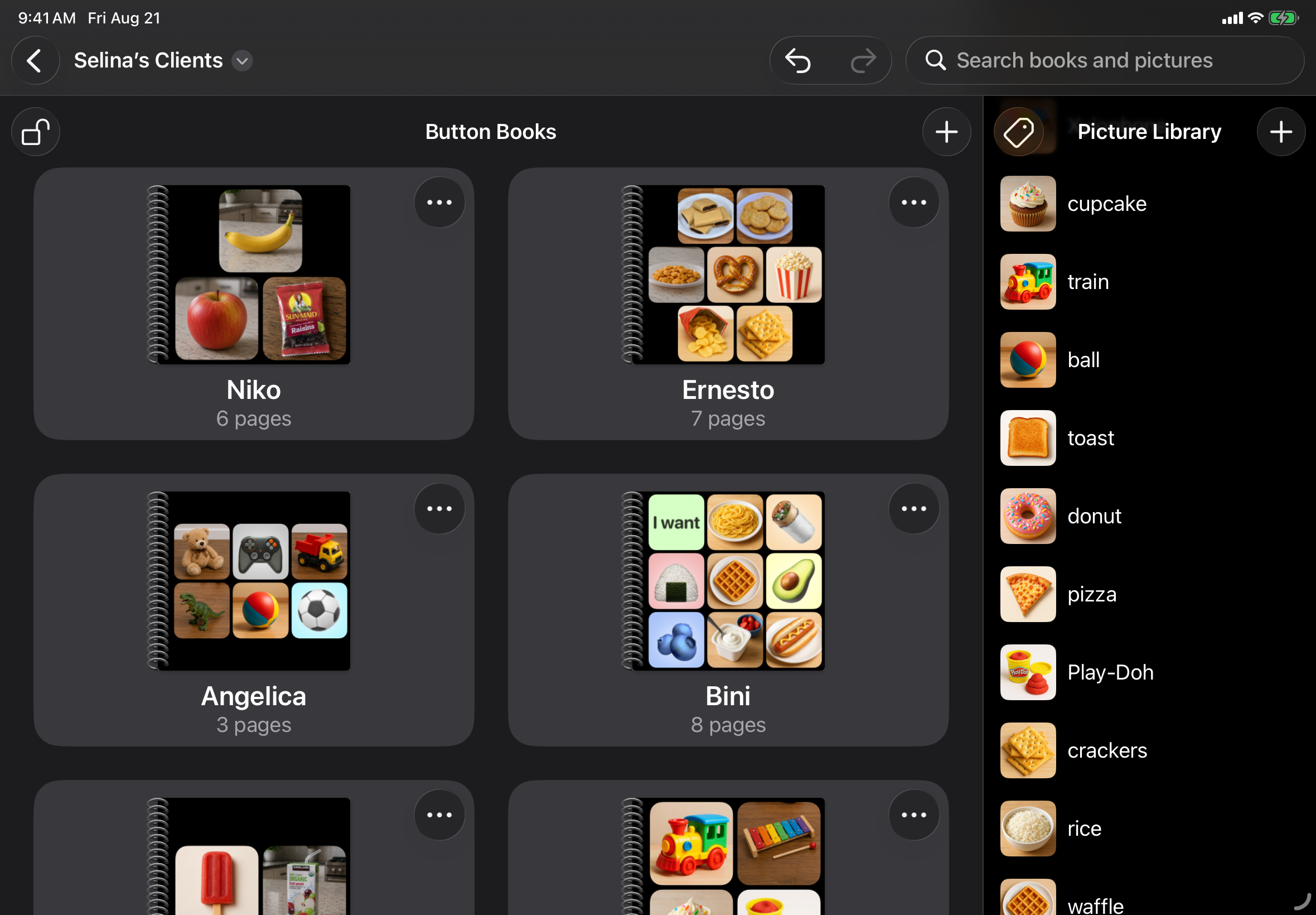
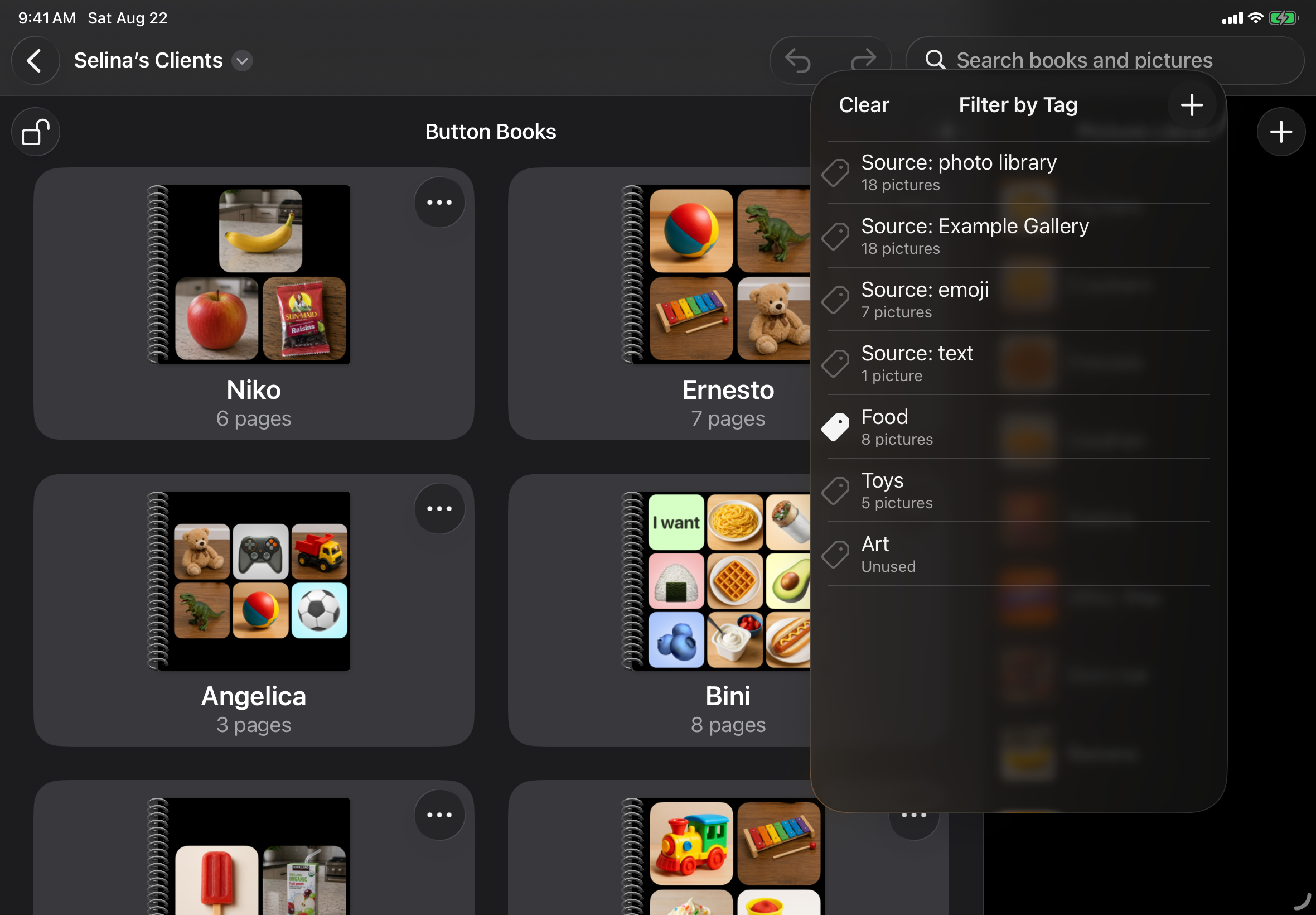
Each Pick-a-Pic file is organized into a Picture Library and a collection of Button Books. Pictures are imported into the Picture Library and then added to pages of Button Books, where they become speech-generating buttons. Pictures can be imported from a variety of sources: the camera, photo library, files, and anywhere that allows copy-and-paste, such as web browsers. Pictures can also be created from emoji or text, and Pick-a-Pic also includes a small (but growing) gallery of free images.
Caregivers can customize the voice of each Button Book and have the option to lock Button Books with either Face ID or a 4-digit passcode. When combined with iPad’s Guided Access feature, this allows caregivers to turn their iPad into a dedicated AAC device.
Pick-a-Pic has no registration, no login, and no subscription. Users can begin using the app right away for free, and pay only a small, one-time charge to unlock the full app across all of the devices in their Family Sharing plan.
Key features
Turn your images into buttons that speak when tapped.
Import images from your device's camera, photo library, files, or any app that supports copy-and-paste, such as your web browser, or create images from emoji or text.
Organize your buttons into Button Books.
Buttons automatically arrange themselves neatly on a page. Drag to rearrange buttons or to reorder the pages of a Button Book.
Customize the voice of each Button Book. Lock Button Books with either Face ID or a 4-digit passcode.
Made for collaboration between caregivers and professionals.
Share and sync Pick-a-Pic files through iCloud, Google Drive, or Dropbox.
Pick-a-Pic fully respects your privacy.
- No registration or login.
- No analytics or tracking.
Screenshots
All screenshots are available to download at full resolution (2360 × 1640 pixels) in light and dark modes.
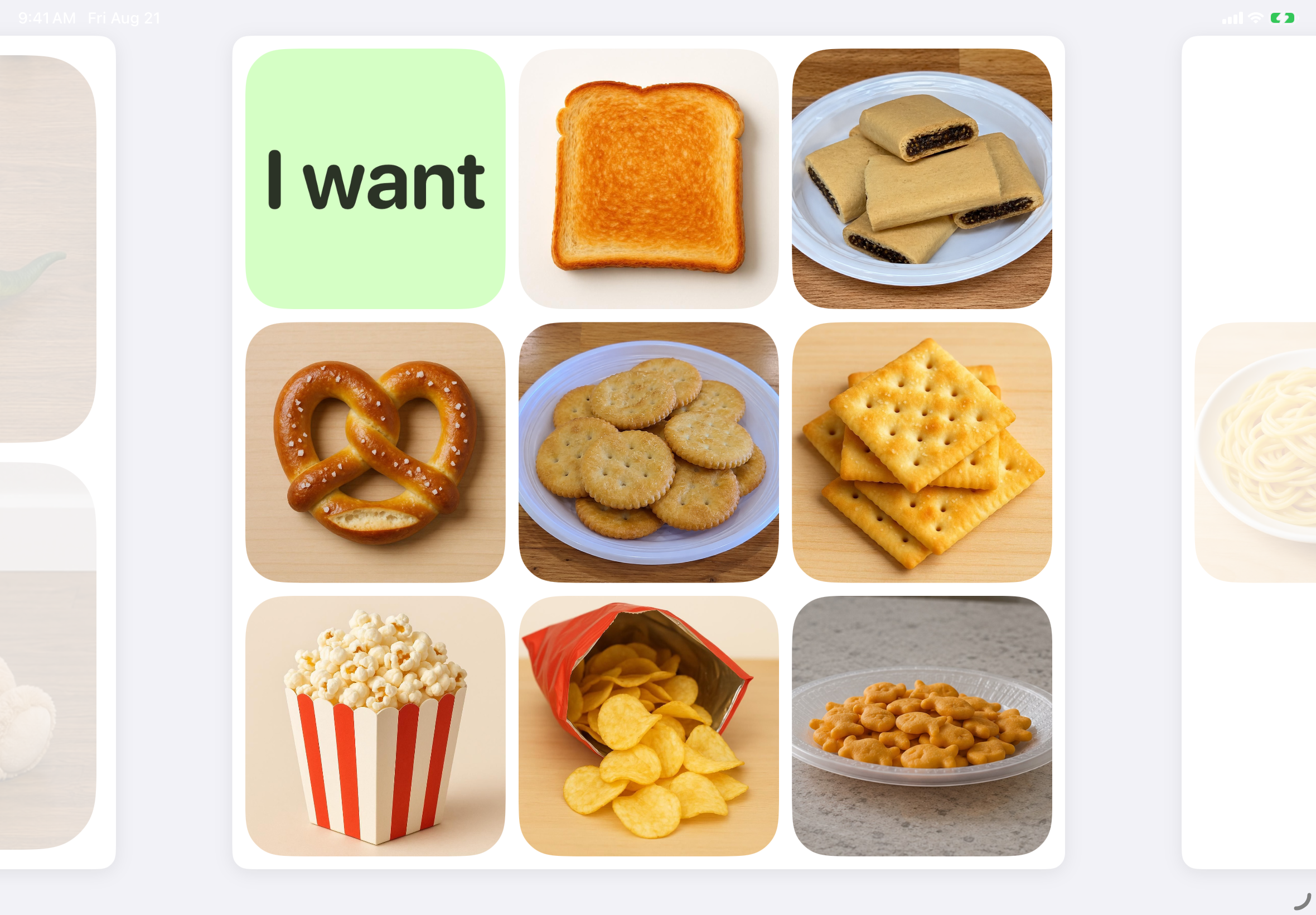
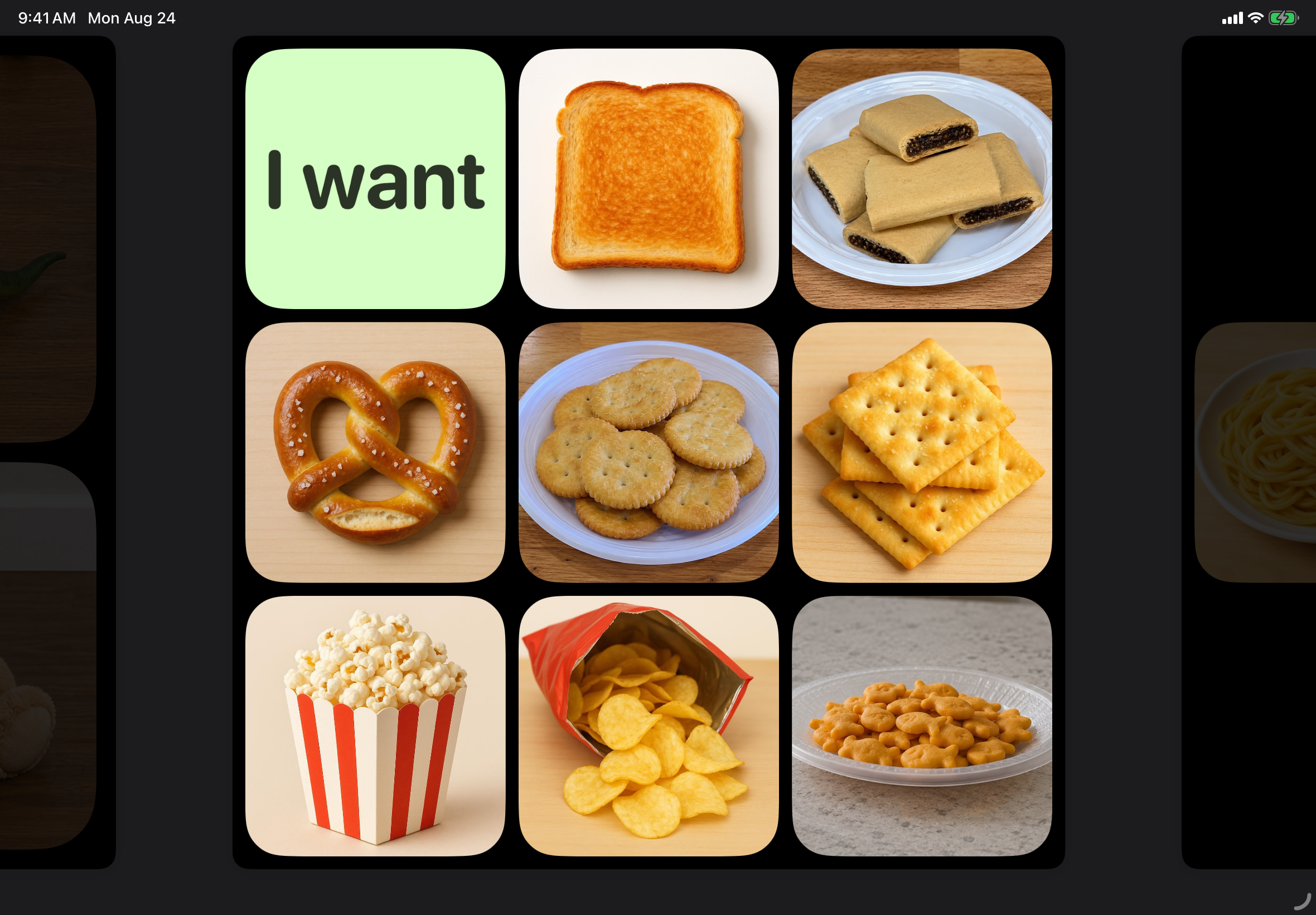
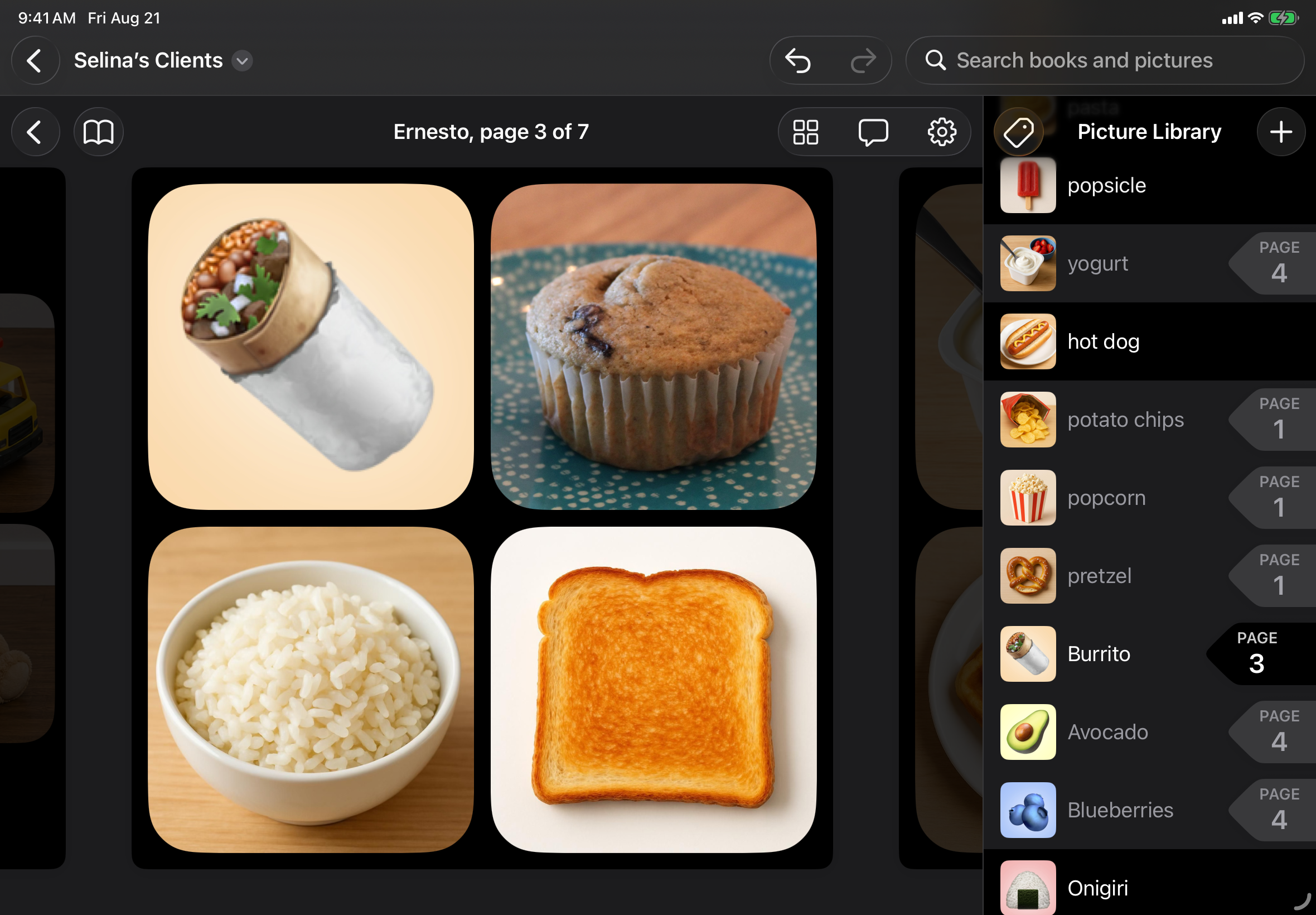
Swipe to scroll between pages, then tap any button to speak its title.
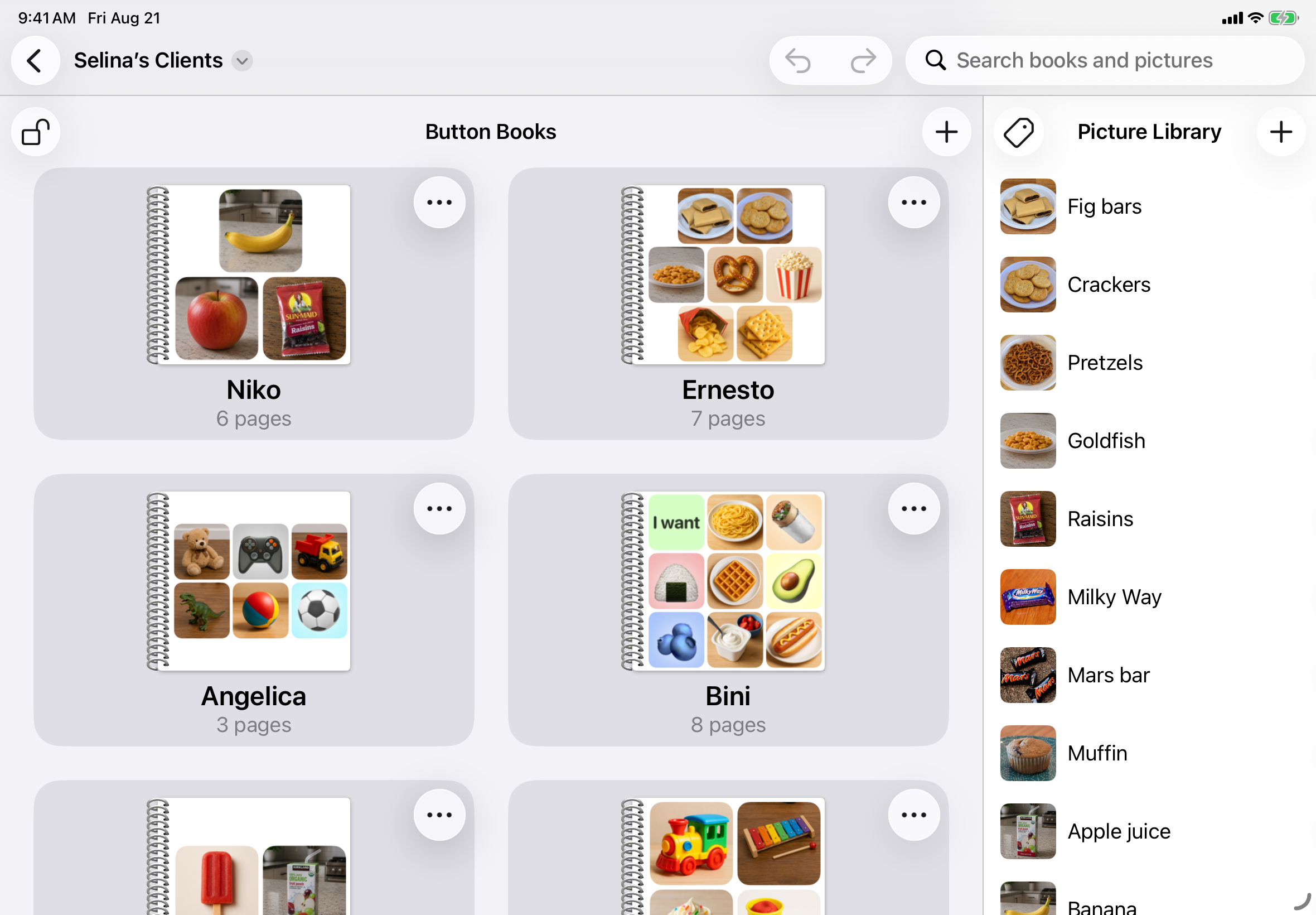
Each Pick-a-Pic document contains a Picture Library and a collection of Button Books.
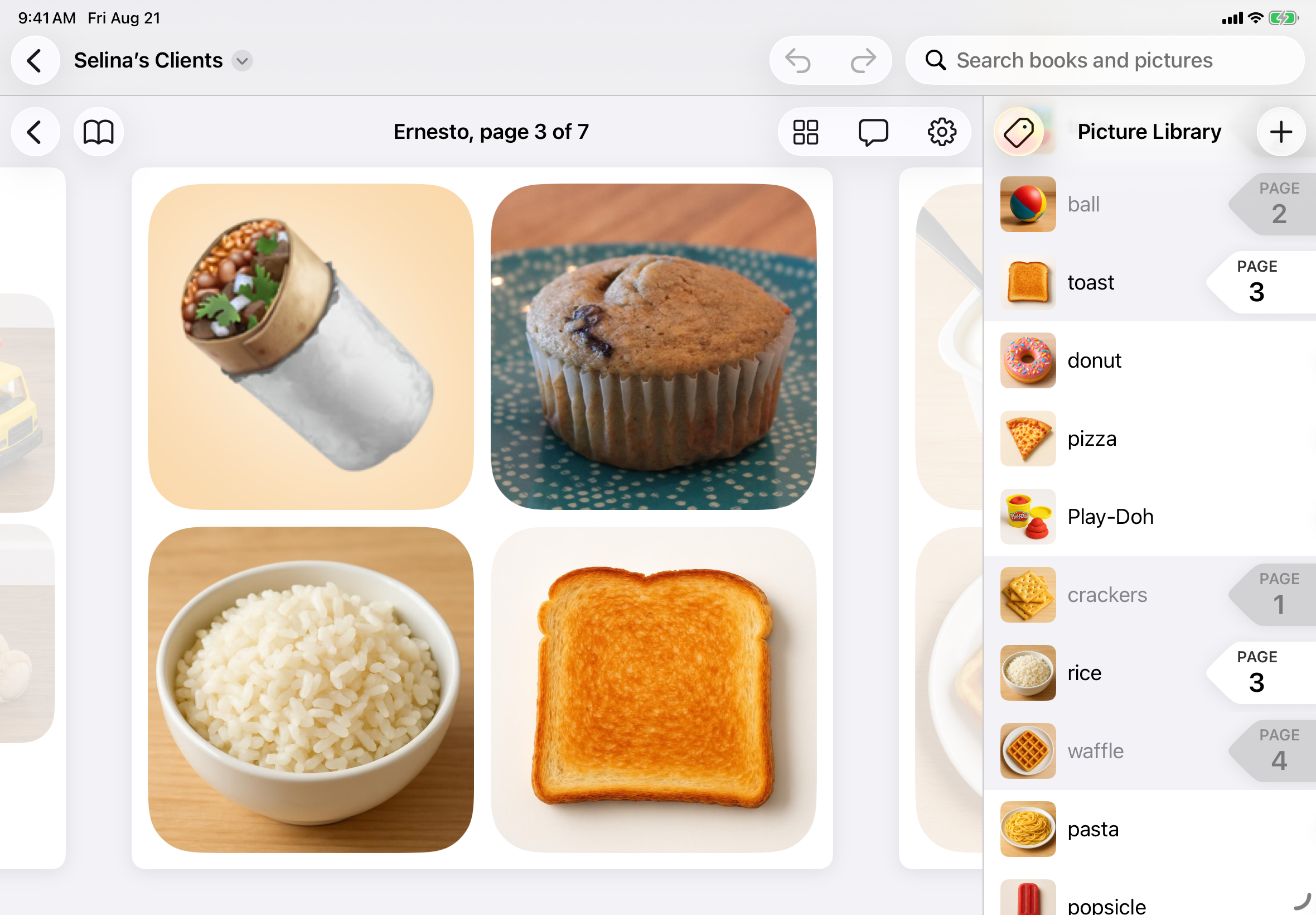
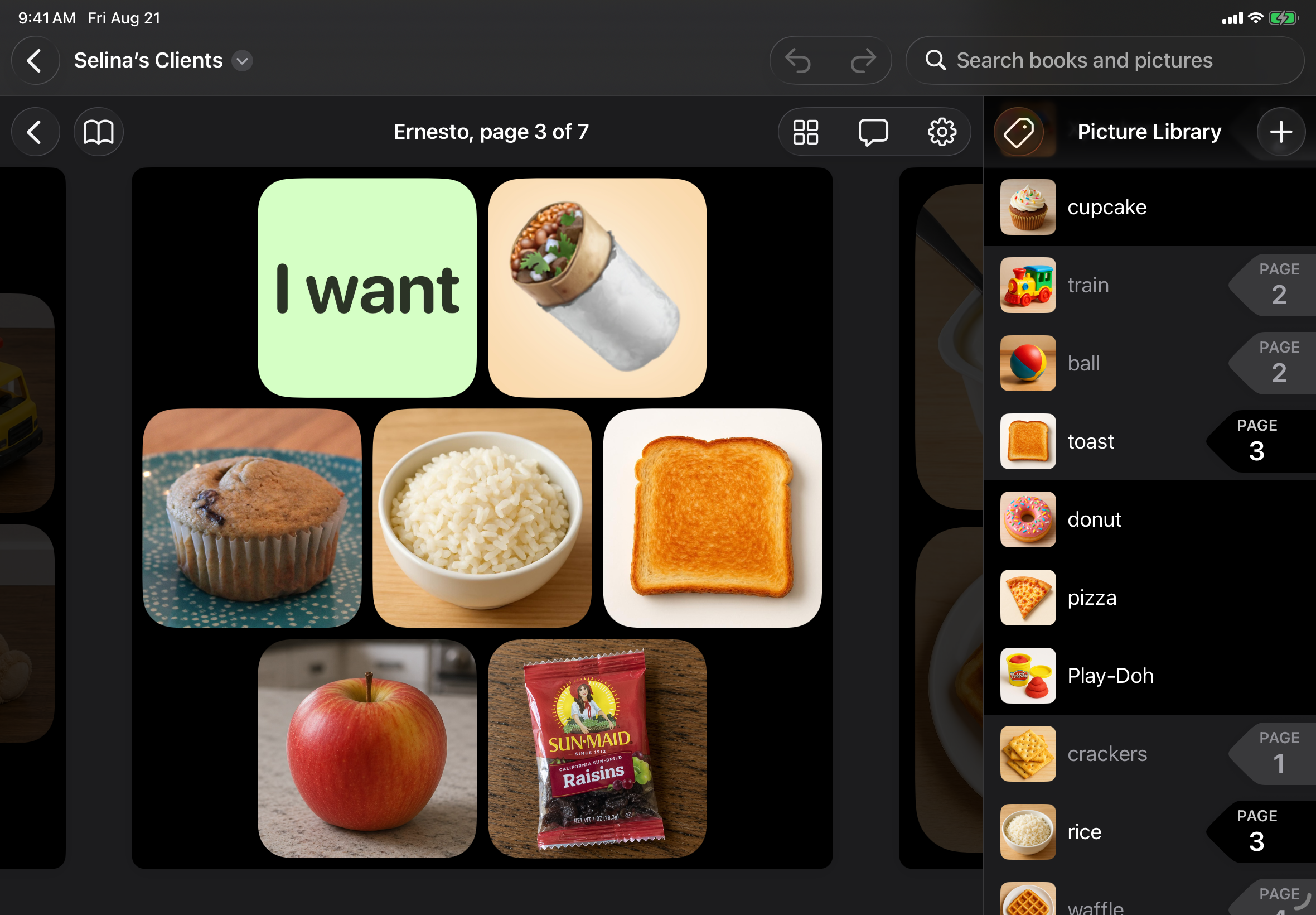
Add a button to a Button Book by tapping a picture in your Picture Library.
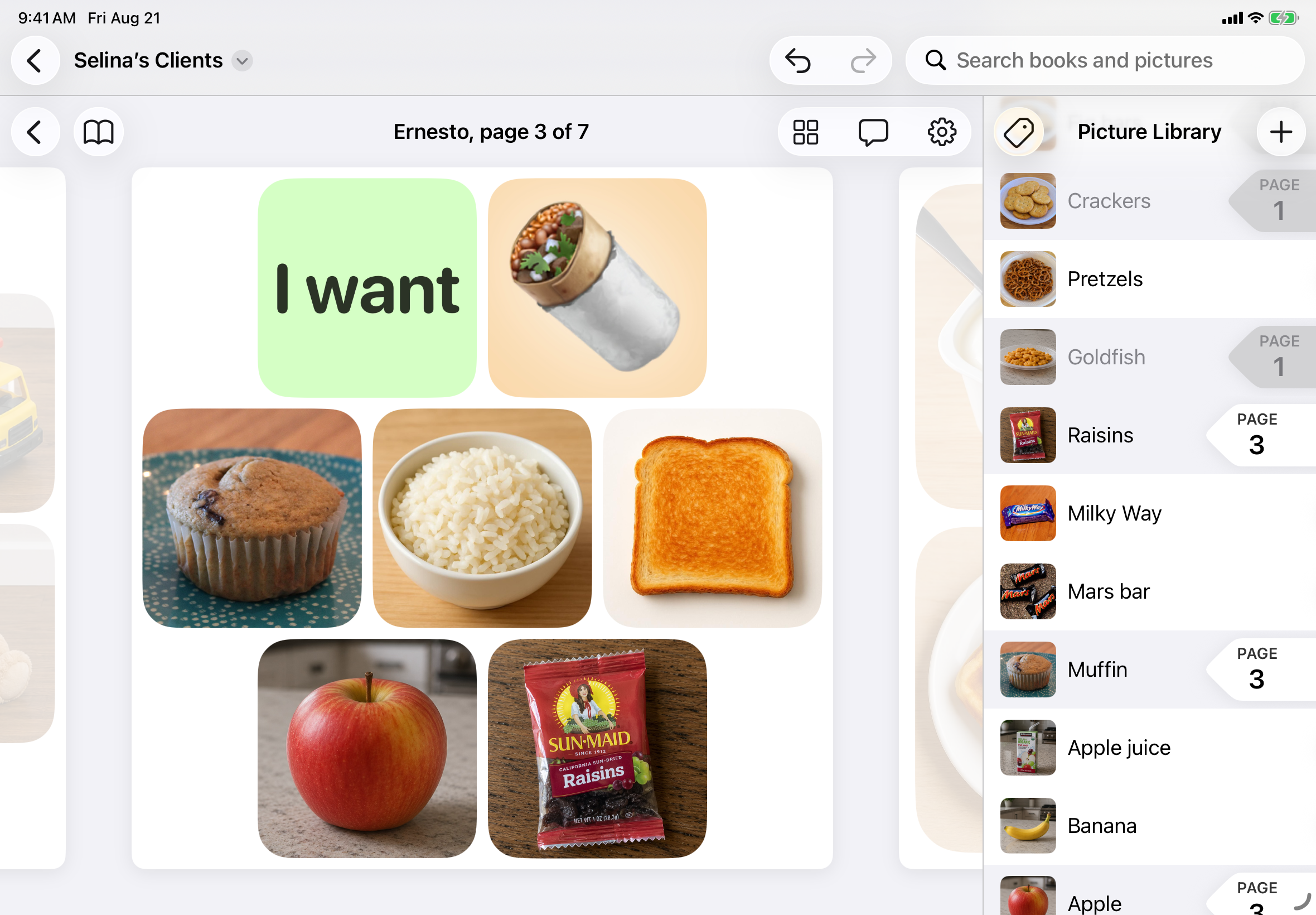
Buttons layout is based on the number of buttons on a page. Drag a button to change its position.
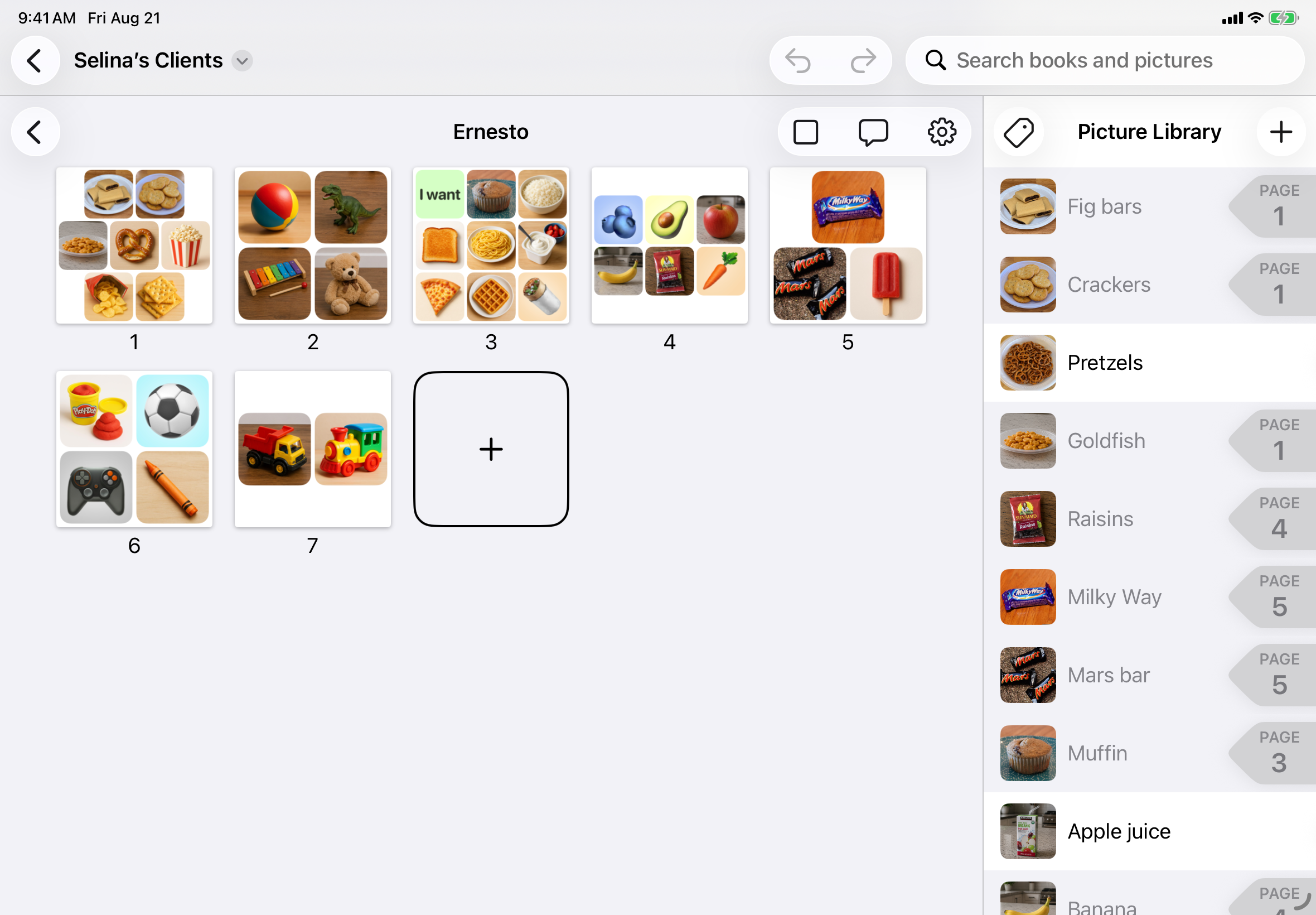
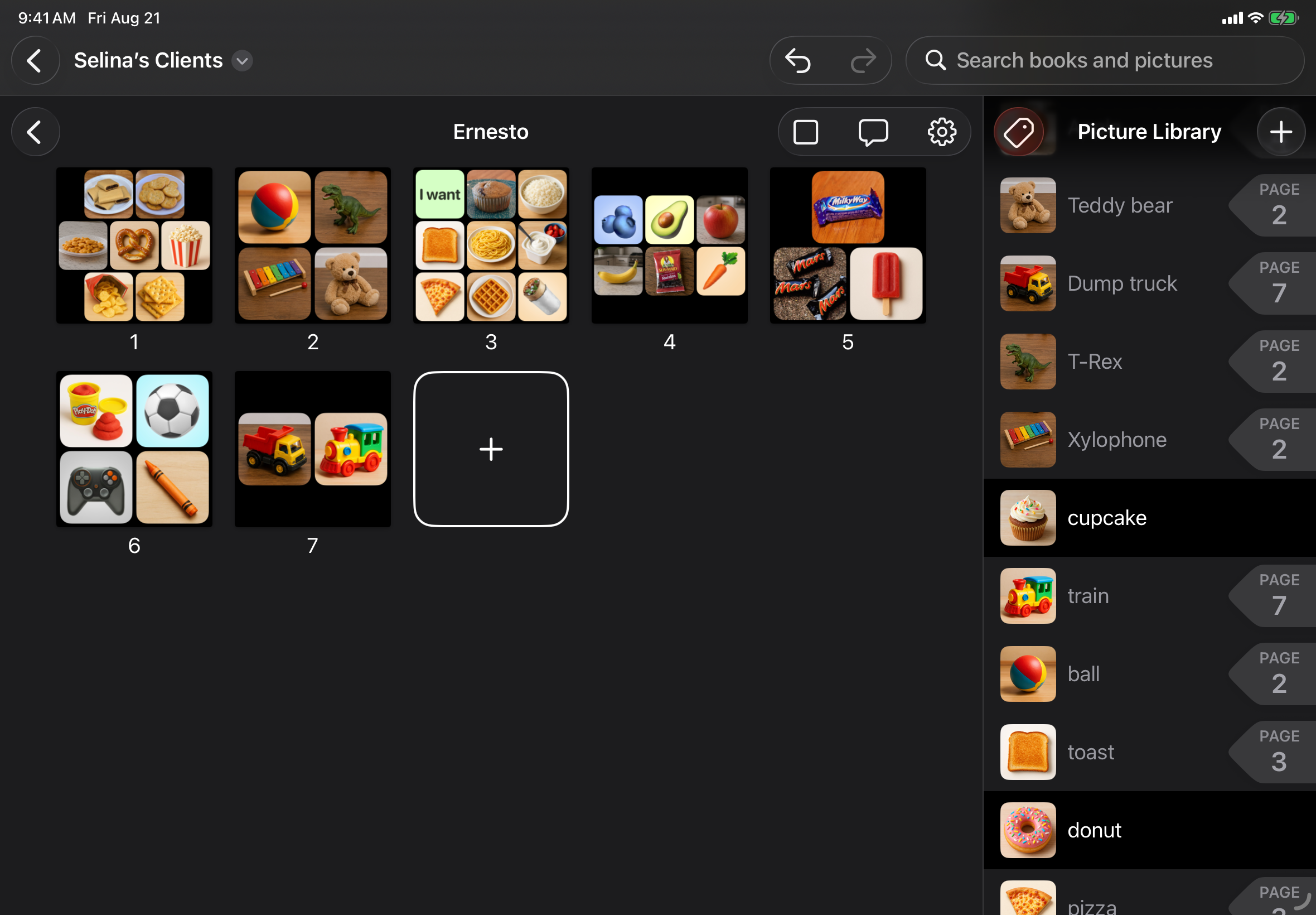
Switch to All Pages view to quickly navigate to any page of your Button Book. Drag a page to change its order in the book.
Video clips
All videos are available to download at 1280 × 890 pixels in light and dark modes.
Swipe to scroll between pages, then tap any button to speak its title.
Add a button to a Button Book by tapping a picture in your Picture Library. Buttons layout is based on the number of buttons on a page.
Import a picture from the camera, photo library, files, or copy-and-paste. Crop and rotate pictures after importing.
Switch to All Pages view to quickly navigate to any page of your Button Book. Drag a page to change its order in the book.
Brand assets
Directly exported from Icon Composer for light and dark modes.
1024 × 1024 pixels


About the developer
Pocket Pigeon is a project of James Childress and Selina Field.
James is a software developer and Selina is a BCBA (board-certified behavior analyst) with a specialty in verbal behavior training for autistic children.
Pick-a-Pic was borne from Selina's years of experience as a BCBA, in which she regularly witnessed caregivers and coworkers struggle to customize their AAC apps.
Contact
Send questions directly to James and Selina:
hello@pick-a-pic.app